Cuadrilla: work offline.
Teams, tasks and photographs saved on the device. When the connection returns, you choose when to synchronize.
Save offline and synchronize later
Airplane mode, persisted changes, process shutdown, reopening with the photo available, connection failure and recovery.
What this journey shows
Airplane mode, persisted changes, process shutdown, reopening with the photo available, connection failure and recovery.
- Change task status and keep working offline.
- Close and reopen the application with tasks and photographs preserved.
- Reconnect and synchronize changes with the other devices.
Does your team need a mobile app?
We can define workflows, data that must remain available offline and each platform’s integrations before agreeing the scope.
Discuss a mobile projectScreens and platforms
Daily work on Android.
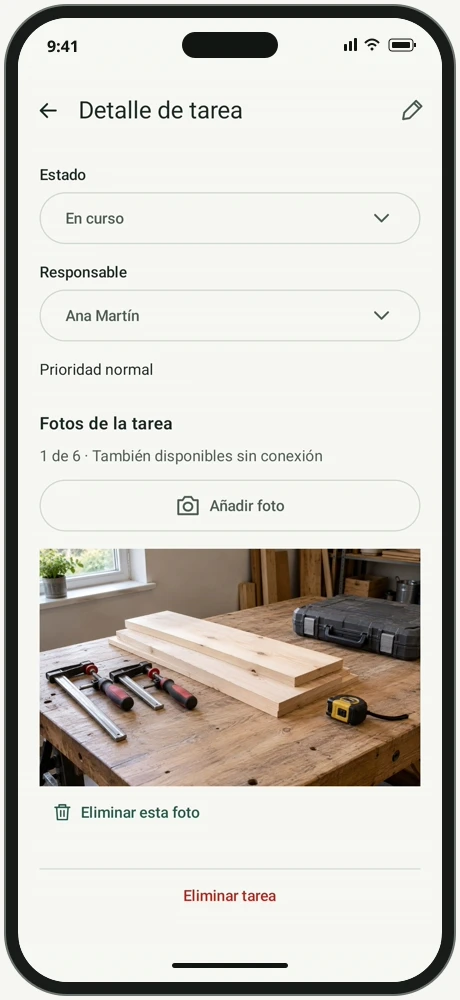
Each task brings together its assignee, status and photographs. Changes are saved on the device so work can continue without a connection.
Organise work and attach a photo
Team, assignee, task status and import through the Android photo picker.
What this journey shows
Team, assignee, task status and import through the Android photo picker.
Application screenshots
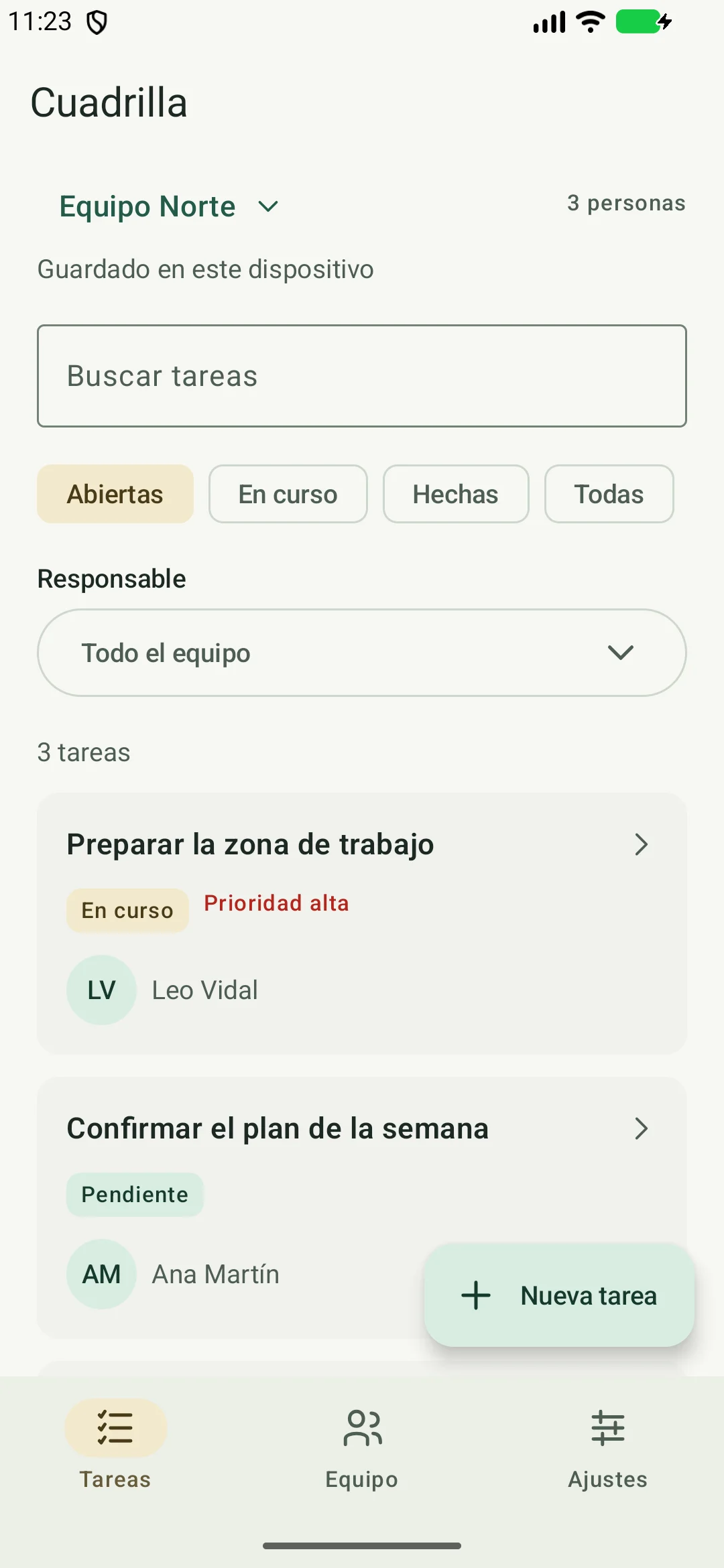
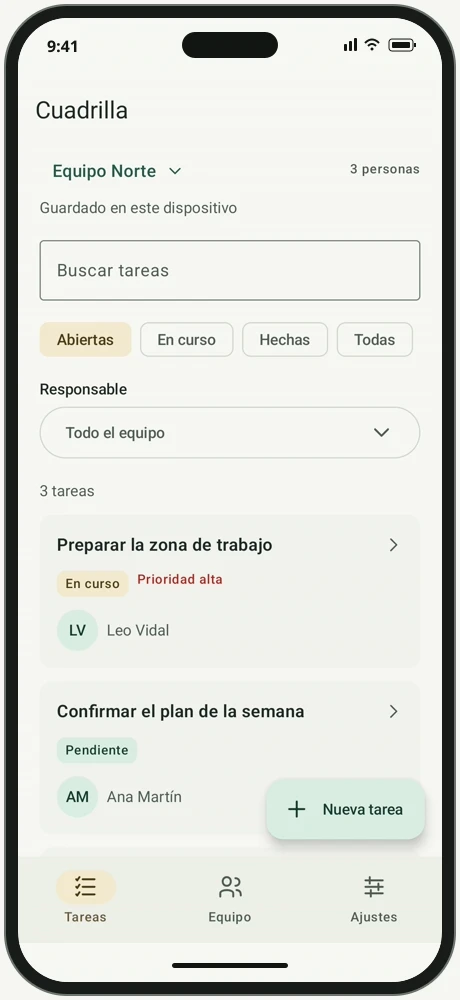
North Team task list with status, filters and assignees.
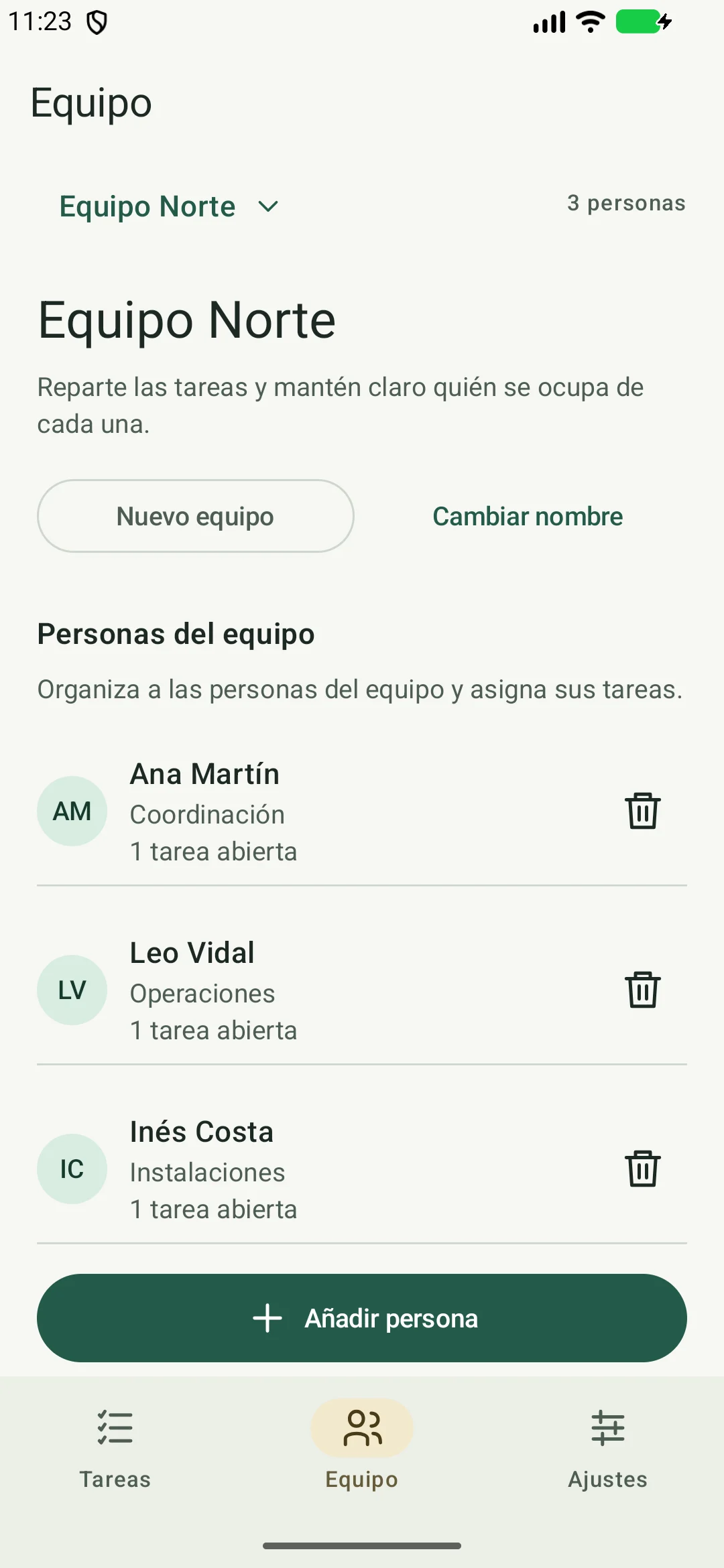
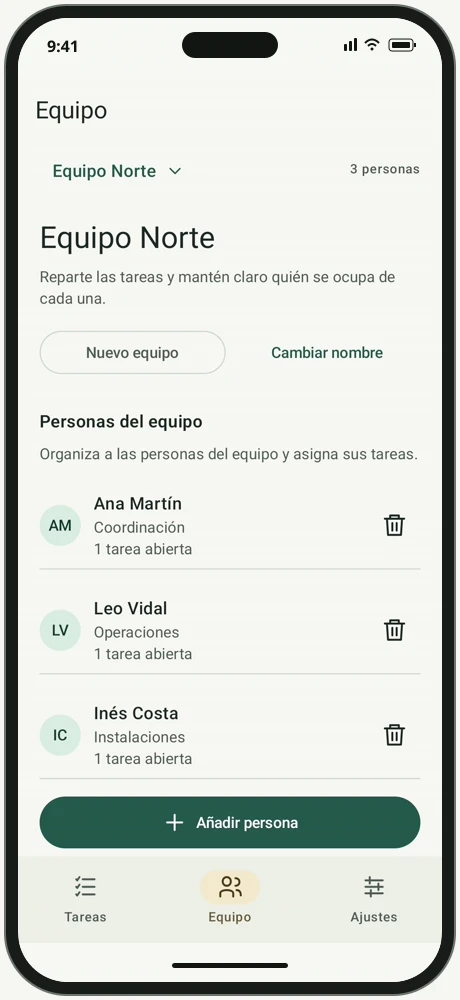
Team members, roles and open tasks.
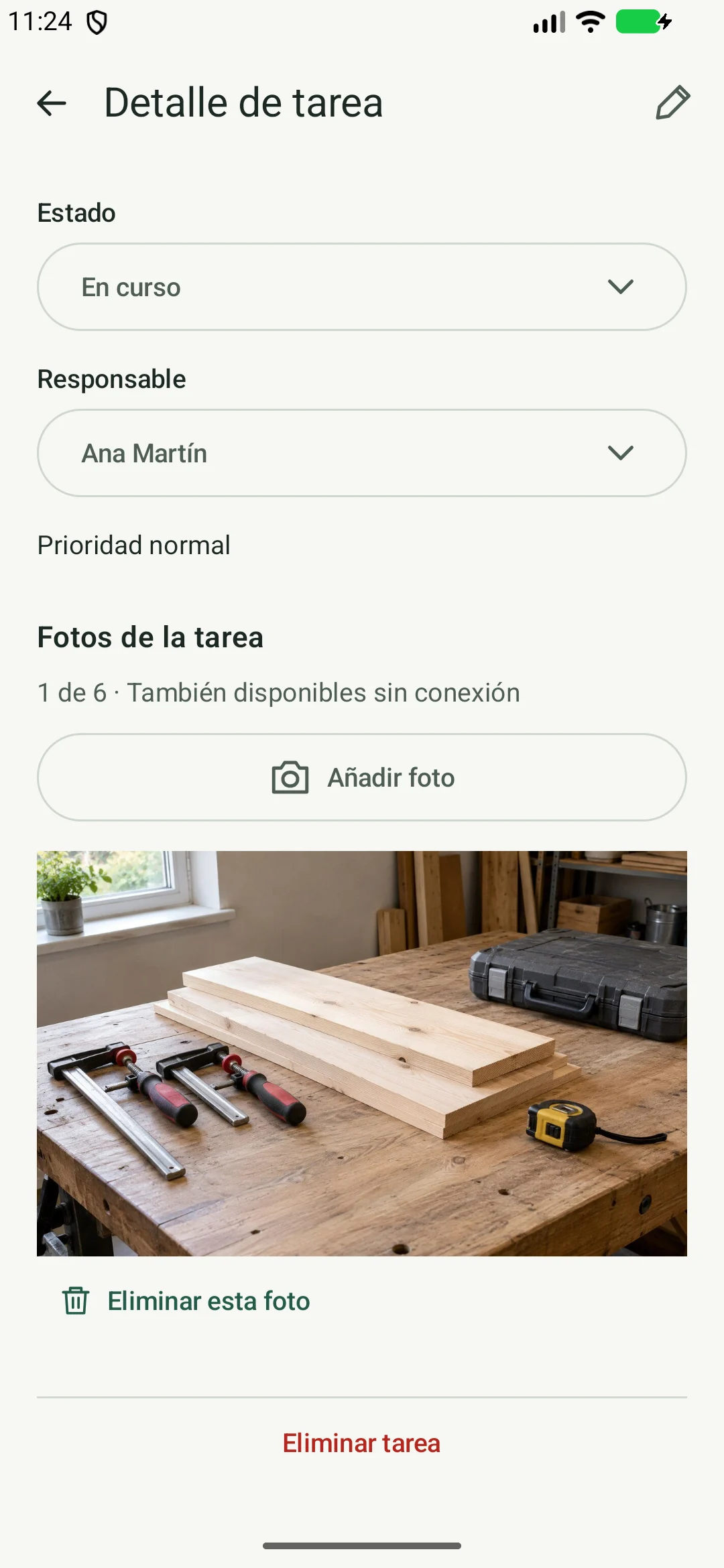
Status, assignee and attached photograph.
View all application screens and states
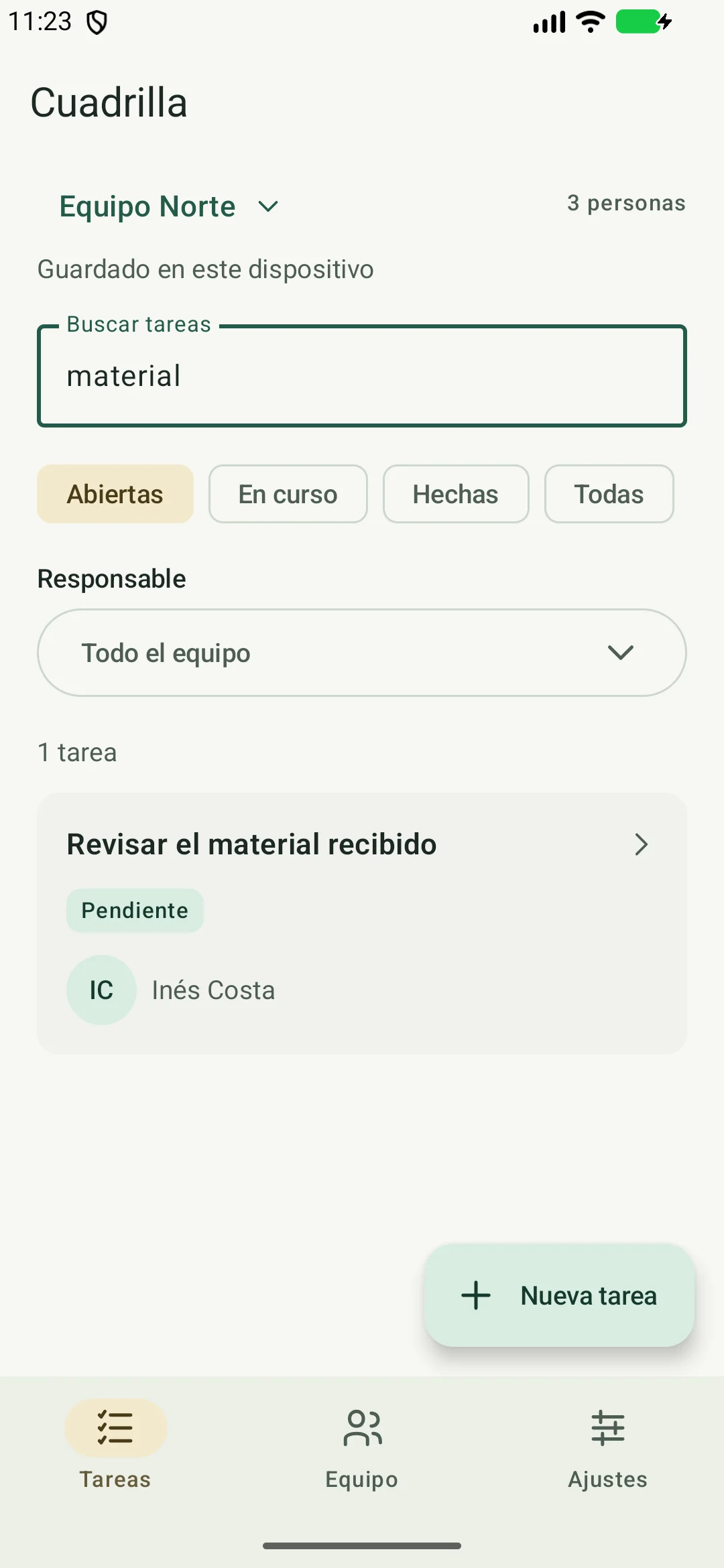
Local search for the term material.
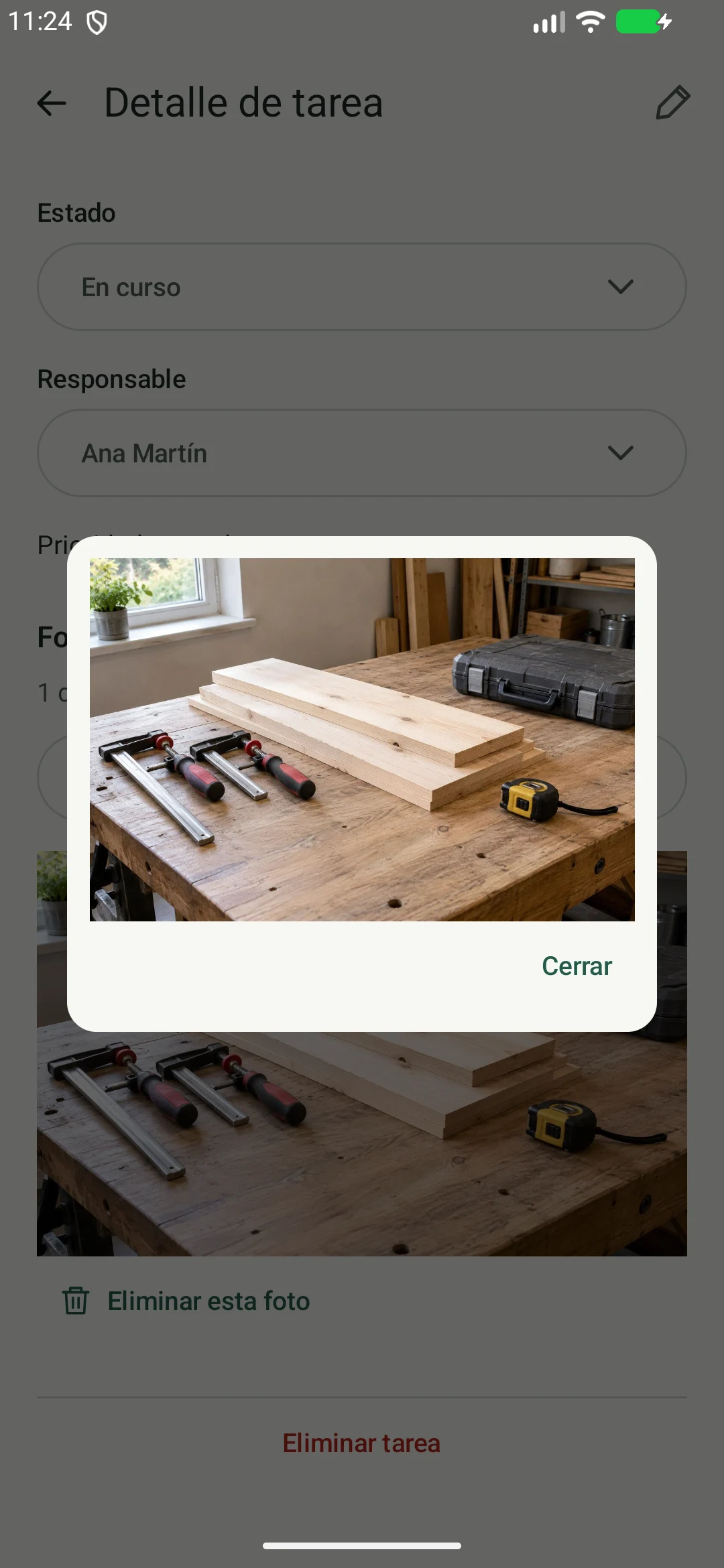
Viewer displaying the photograph saved with the task.
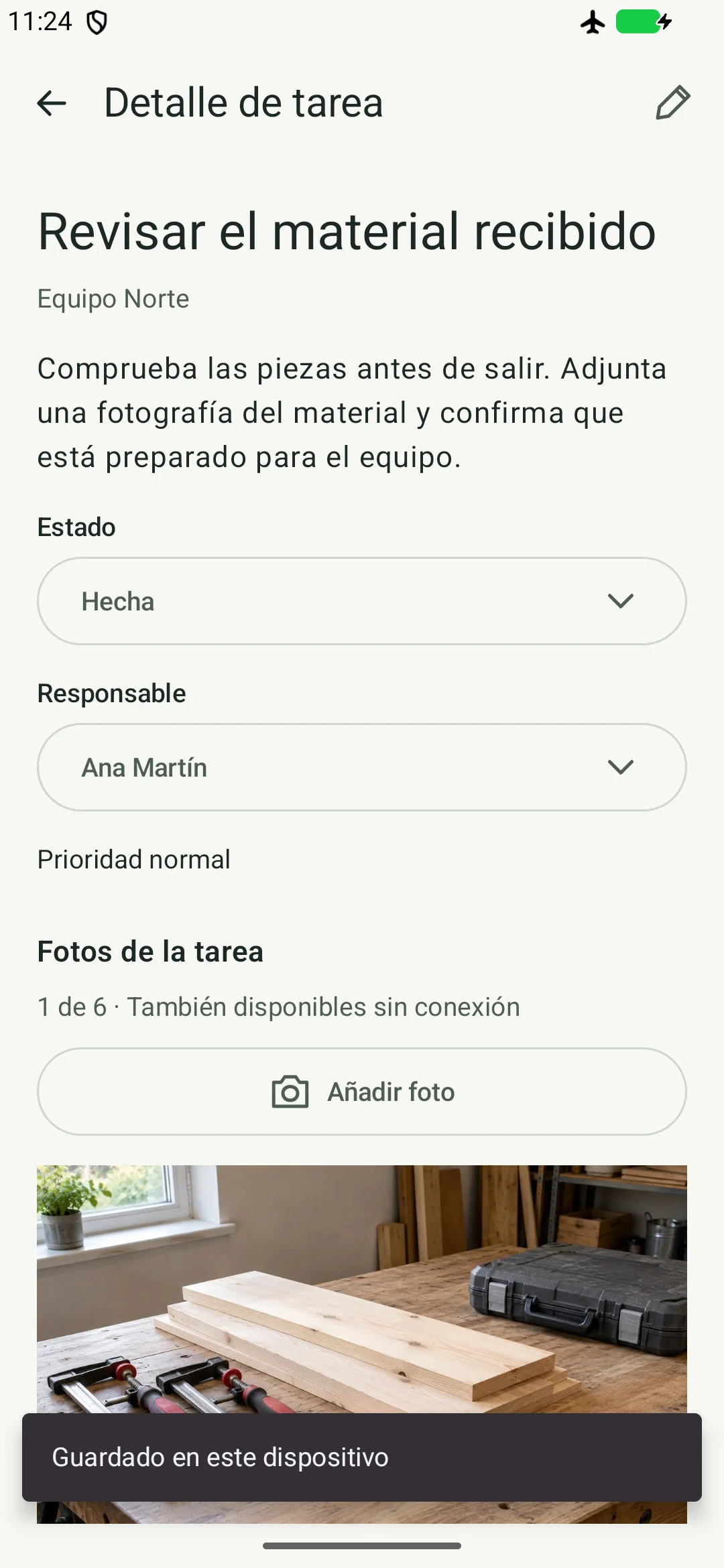
Task marked done with airplane mode enabled and server tunnel removed.
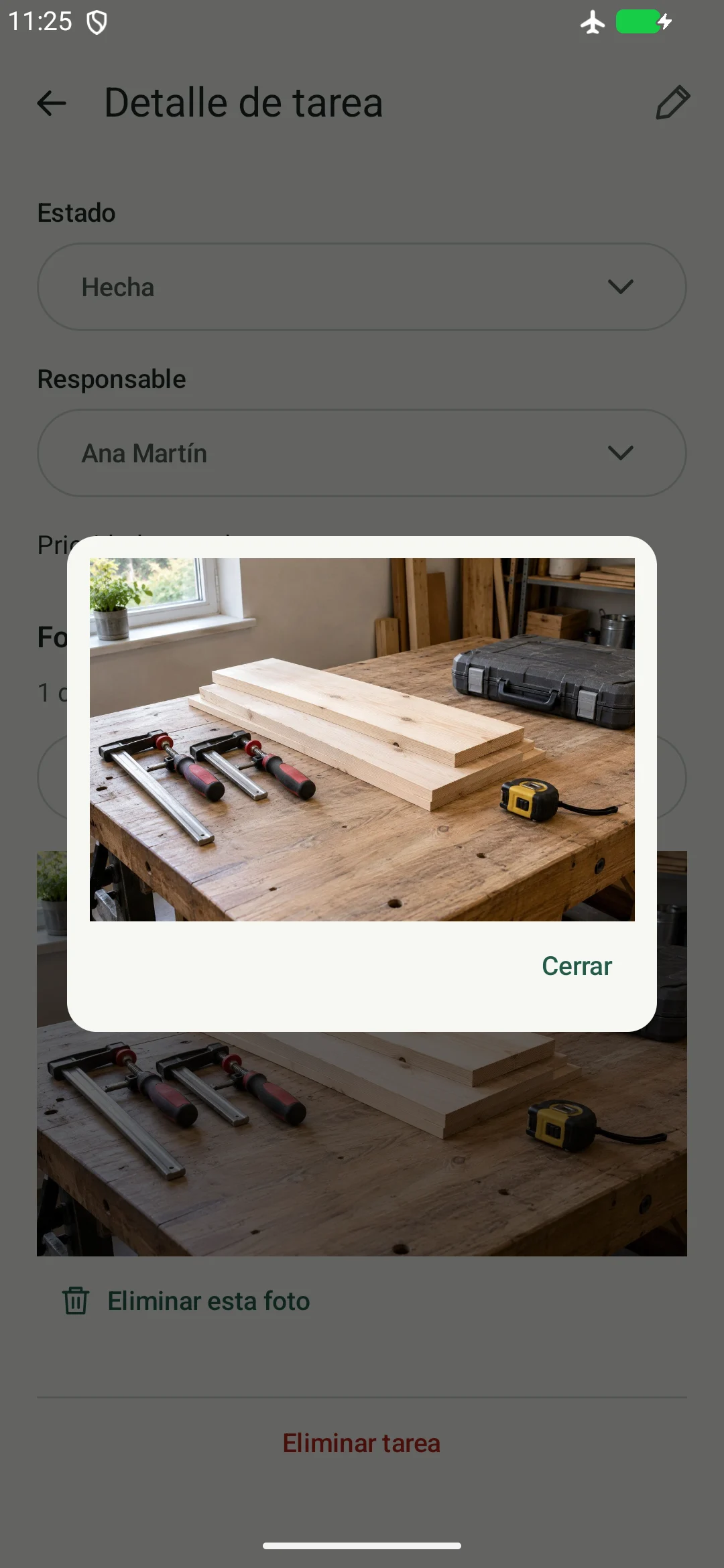
Photograph available after closing and reopening offline.
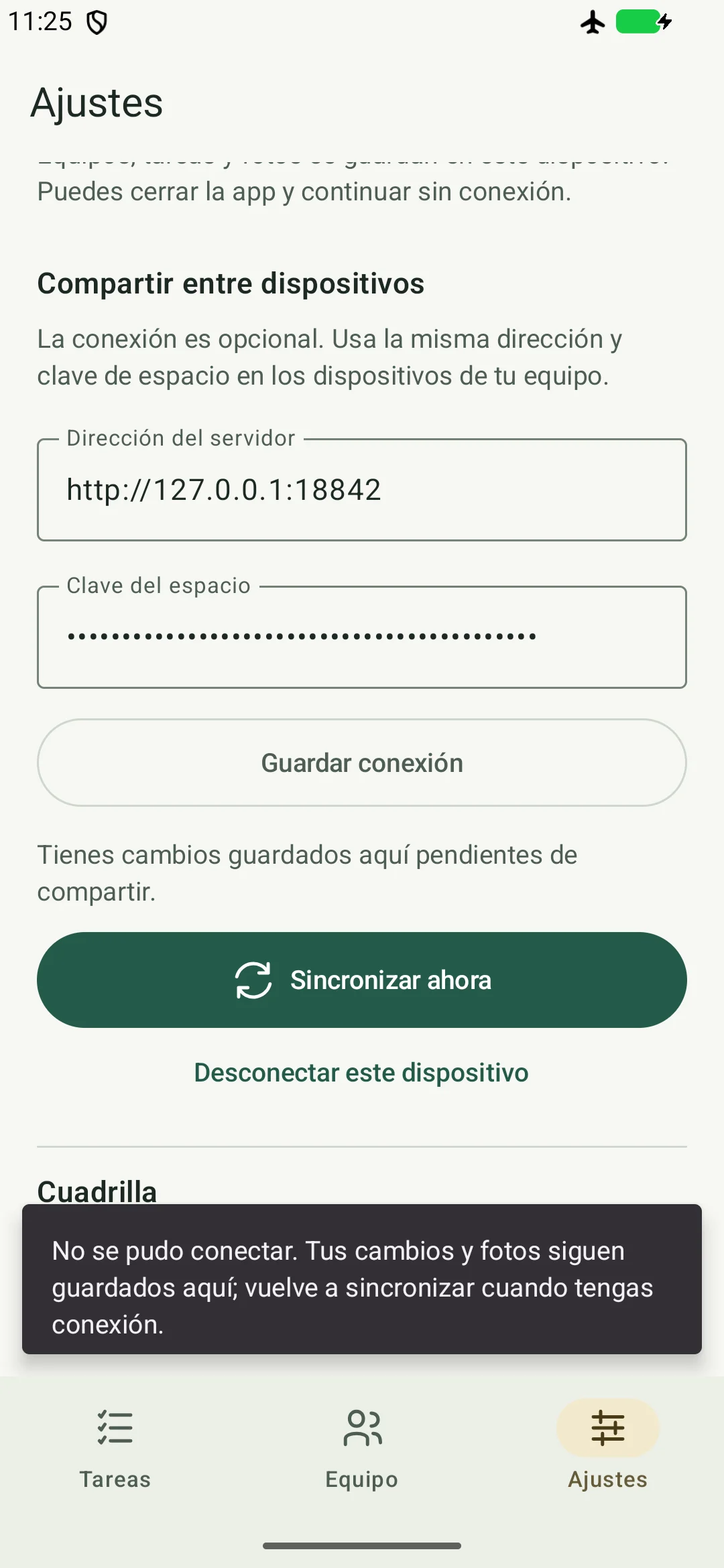
After connection failure, local changes are retained and the remote revision is unchanged.
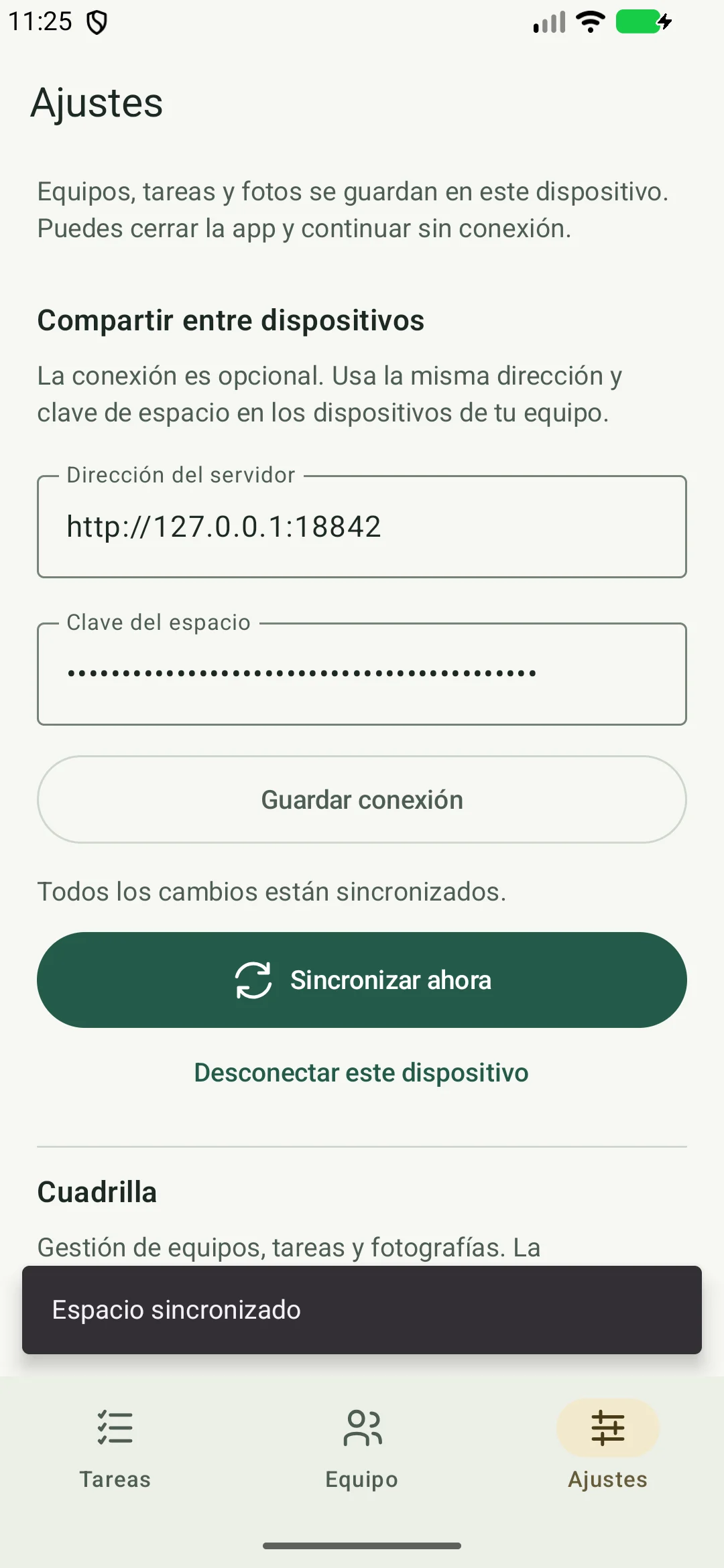
Connectivity restored and manual sync completed; local and remote states verified equal.
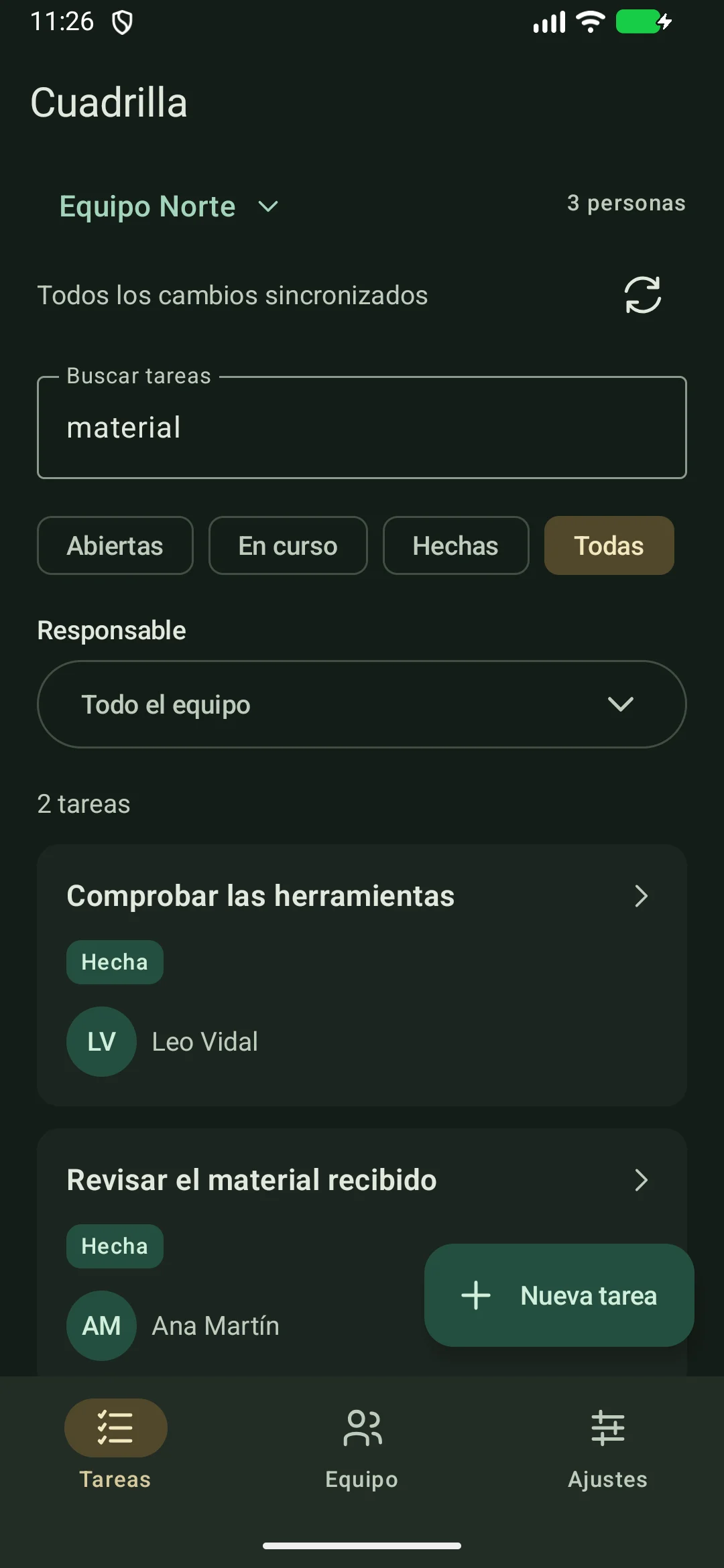
The same application using the system dark theme.
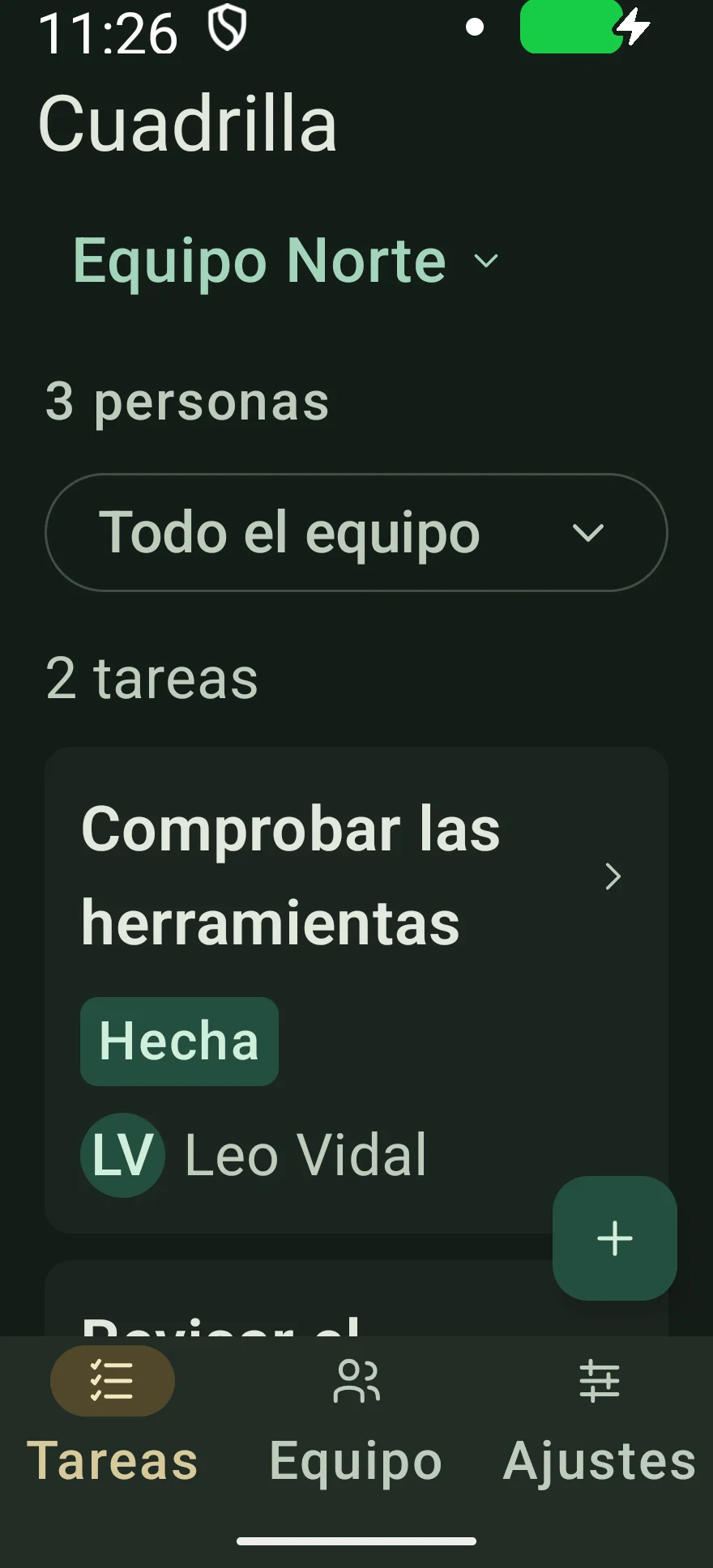
Narrow-width, dark-theme and enlarged-text check; content scrolls.
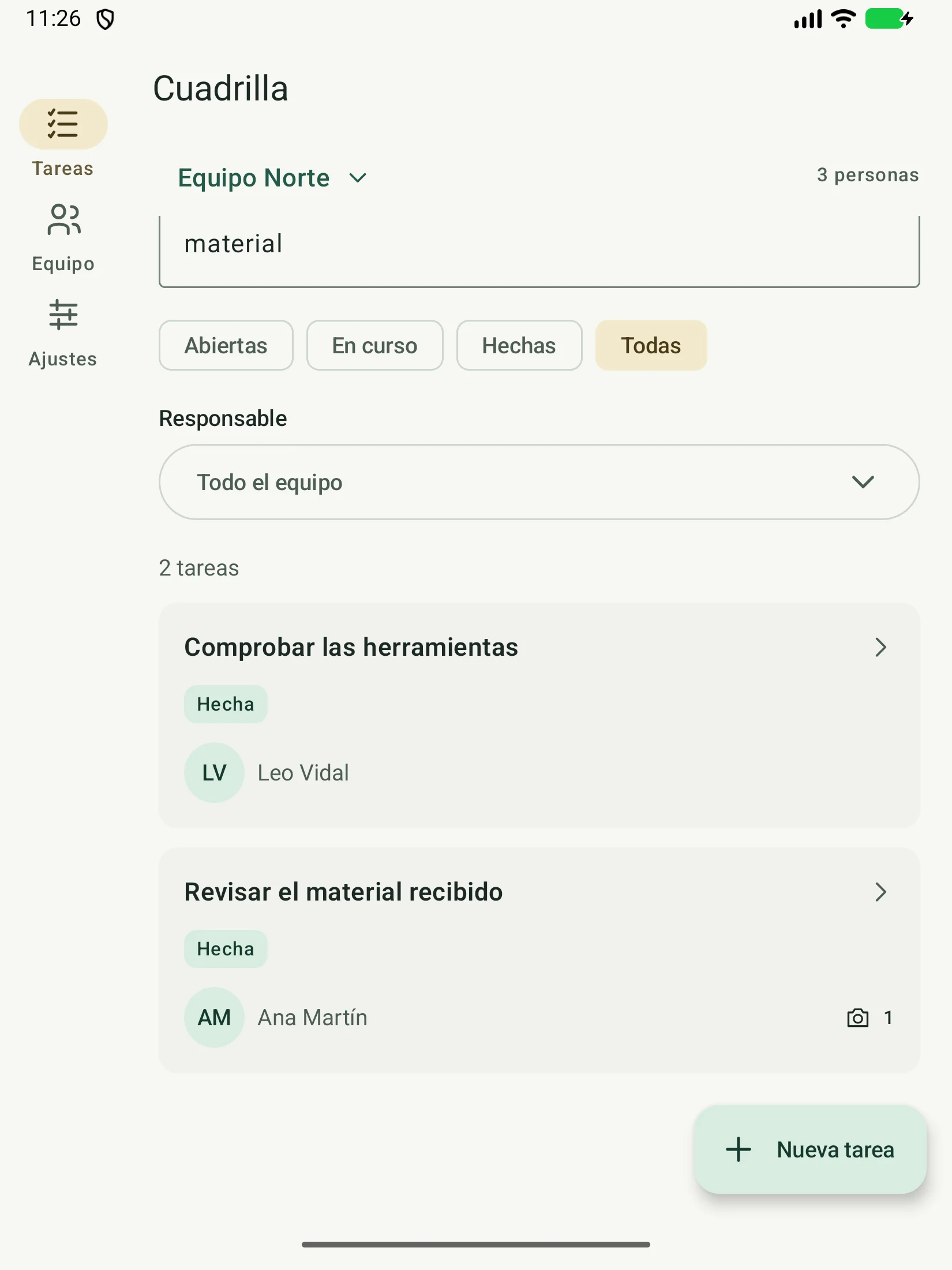
600 dp width: navigation rail and additional content space.
iOS: shared UI, with native platform adapters.
The project includes a SwiftUI host, a Compose screen exposed through UIViewController, UIKit camera integration, PHPicker and the Darwin HTTP client. Screens and rules are shared; system permissions and pickers have platform-specific implementations.
Teams, tasks and photographs on iPhone
What this journey shows
Team selection, task browsing, assignee selection and task detail with a photograph.
Application screenshots
Architecture and limits
What is shared and where the boundaries sit.
Kotlin Multiplatform shares the model, validation, persistence, change merging and HTTP client. Compose Multiplatform shares the screens. Android and iOS hosts provide application entry points and system integrations.
| Part | Technology | Responsibility |
|---|---|---|
| Interface | Compose Multiplatform · Material 3 | Tasks, teams, forms, detail, photo viewer and settings. |
| Operations and state | AppController · Coroutines · StateFlow | Run asynchronous operations, observe data and report results or errors. |
| Rules and writes | WorkspaceRepository · Mutex | Validate changes and publish state only after persistence succeeds. |
| Local persistence | Okio · JSON · Base64 JPEG | Private workspace snapshot, using a temporary file and atomic rename. |
| Communication | Ktor client · OkHttp / Darwin | Fetch and send the workspace when the user taps Synchronize. |
| Optional server | Python HTTP · SQLite | One workspace with a shared key and revision checked within a transaction. |
One shared codebase, clear boundaries
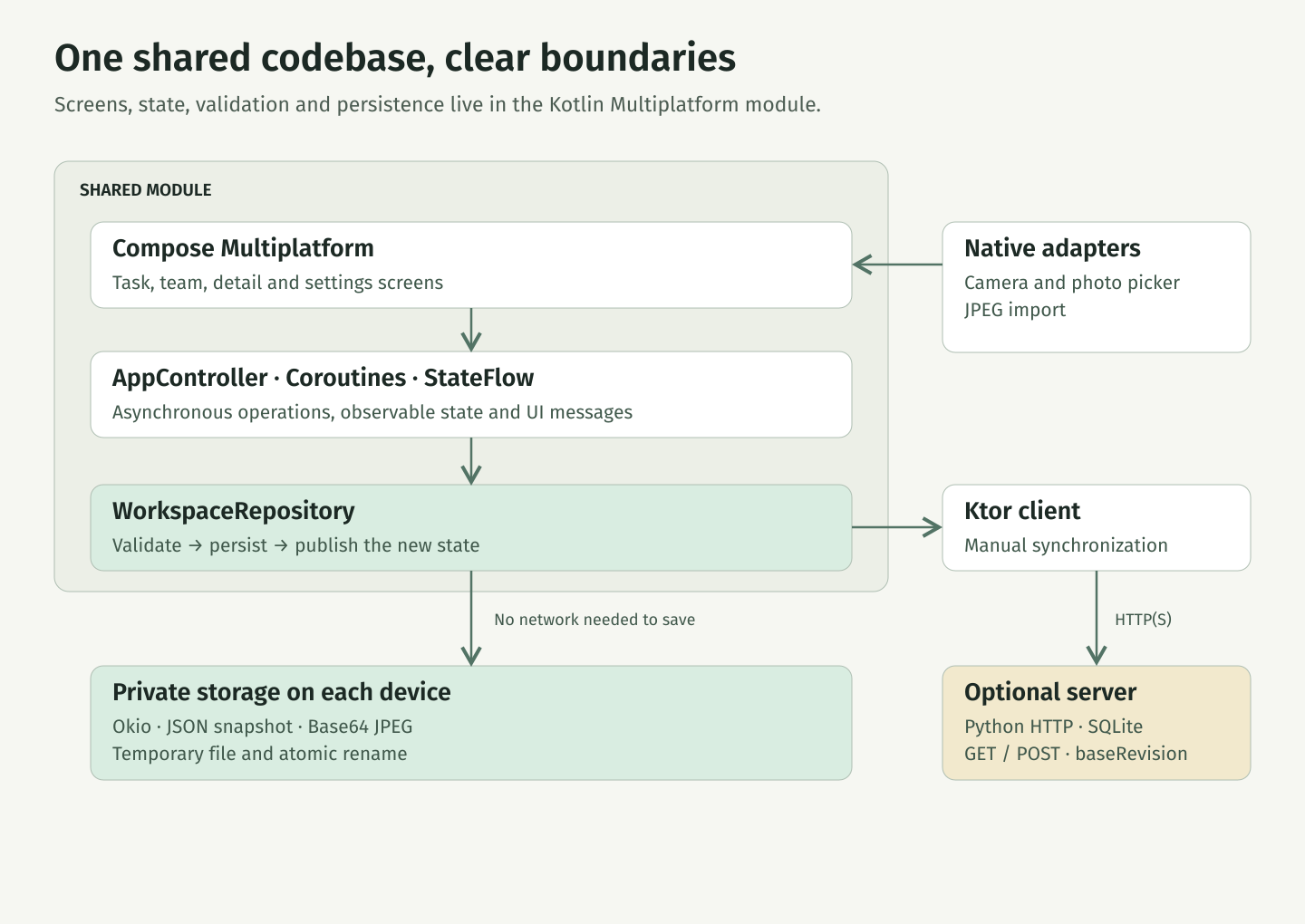
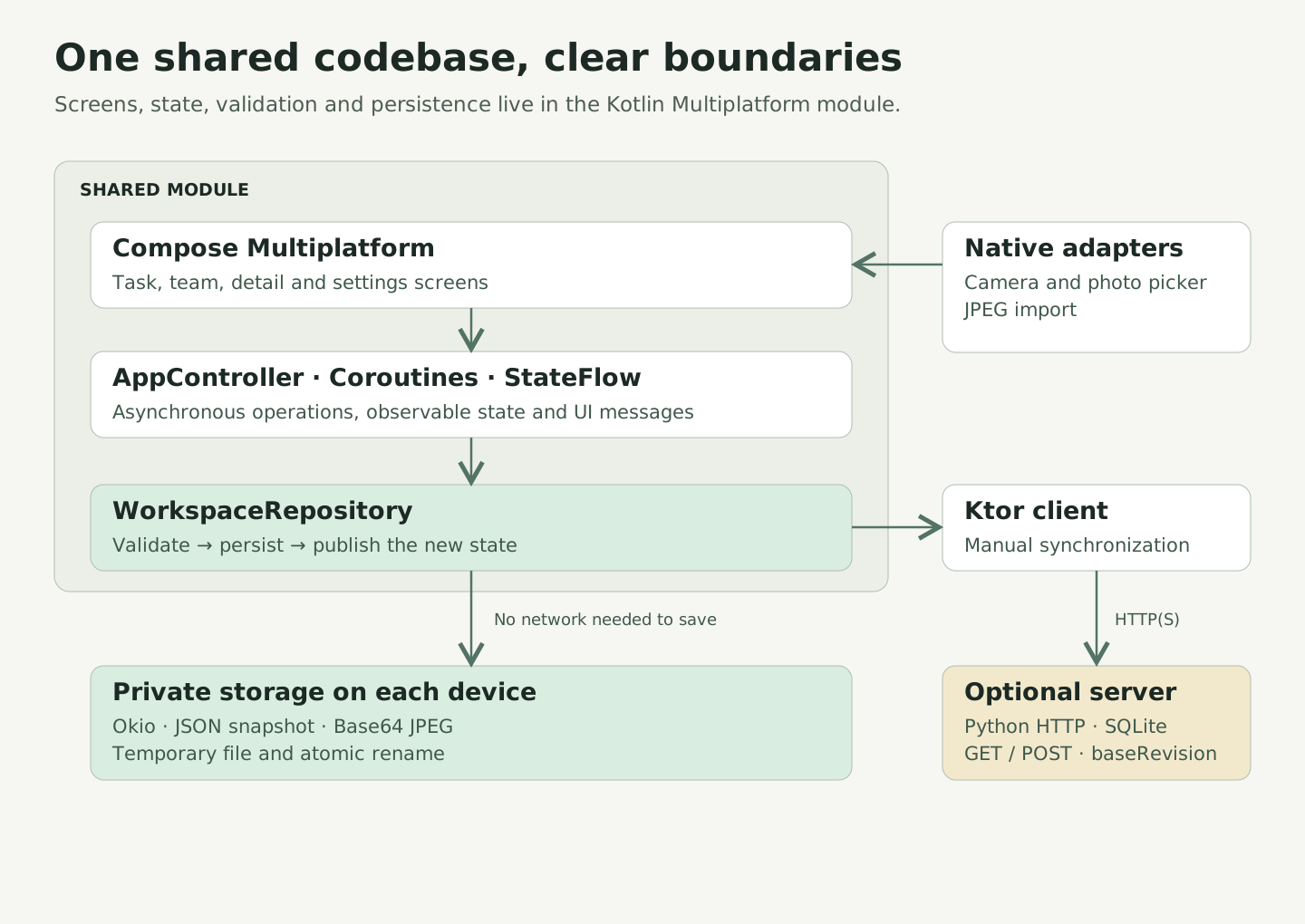
What is shared and what is native
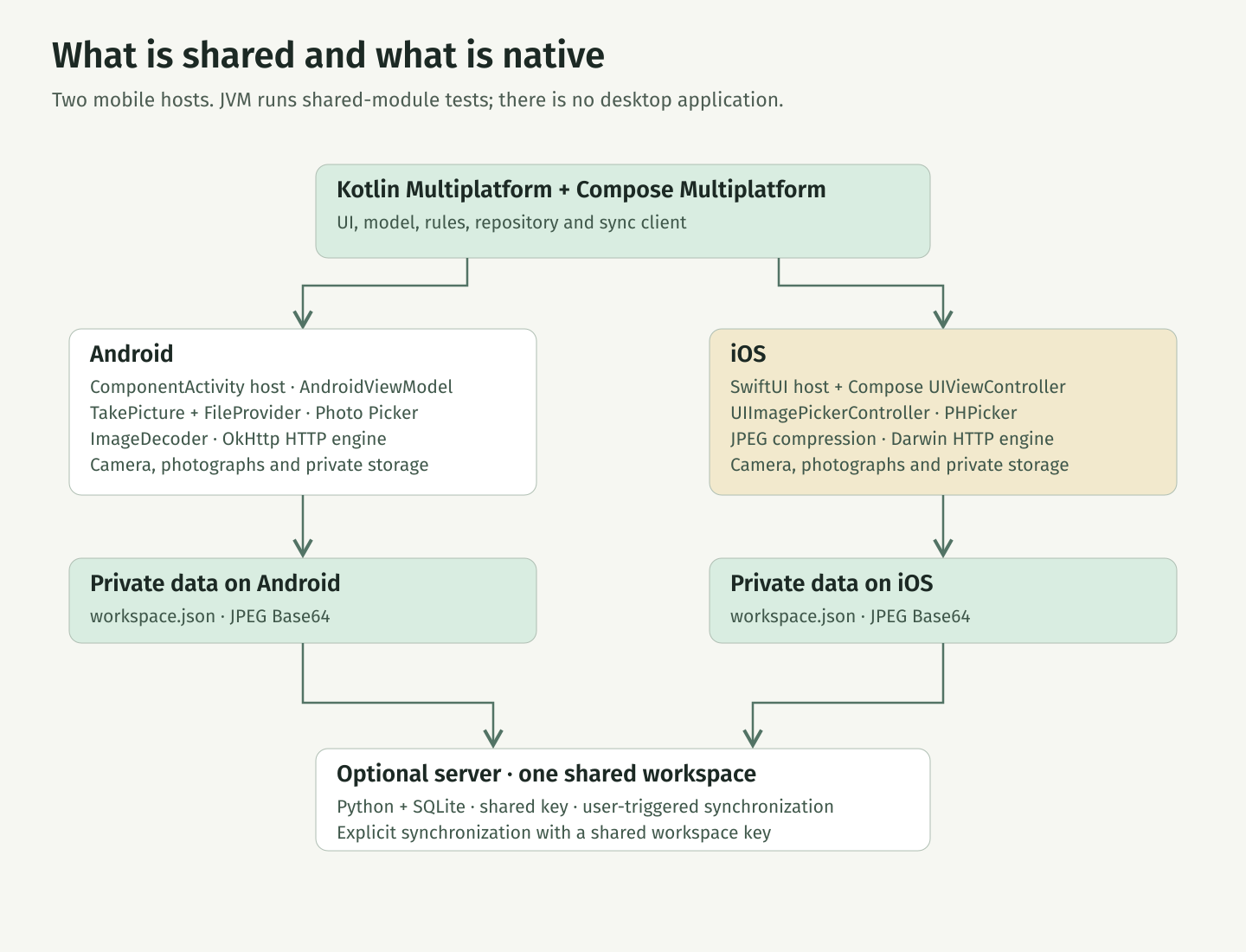
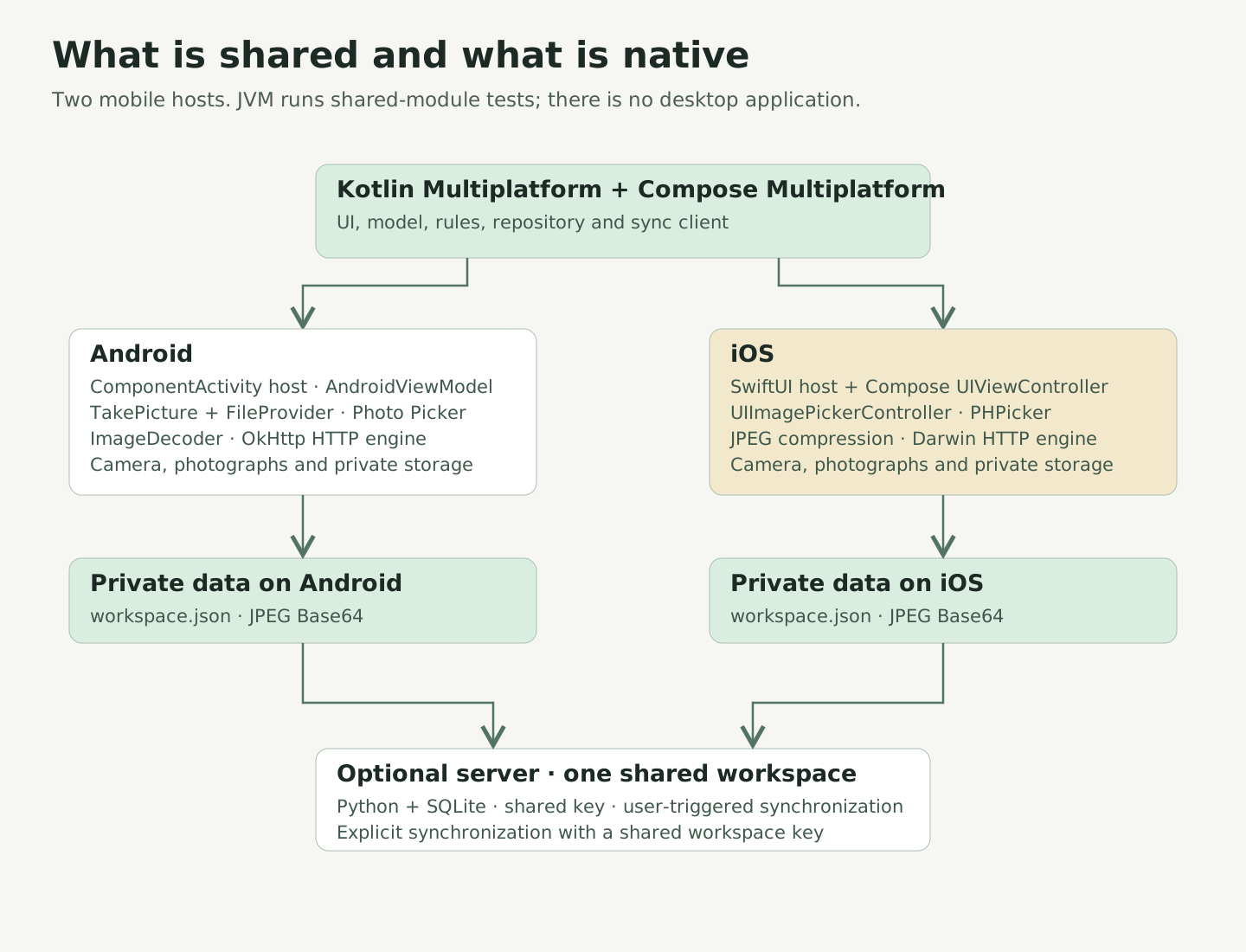
Architecture decisions
- Persist before confirming
- The repository writes to disk before updating the UI. A network failure is not part of a local write, and a disk failure is not presented as a saved change.
- A bounded snapshot
- The JSON snapshot keeps data and photographs together: up to 12 MB, 500 tasks, 30 teams and 50 members per team. For many photos or incremental updates, the next step would be a local database with separate image files.
- User-triggered sharing
- Synchronization is manual. It compares the last synchronized baseline, local state and remote state to retain independent changes and detect incompatible edits to the same record.
Saving and synchronization
From local work to shared changes.
A task belongs to a team and can be assigned to one of its members. It has a title, description, status, priority, optional due date and up to six photos. Removing a member keeps their tasks and clears the assignment.
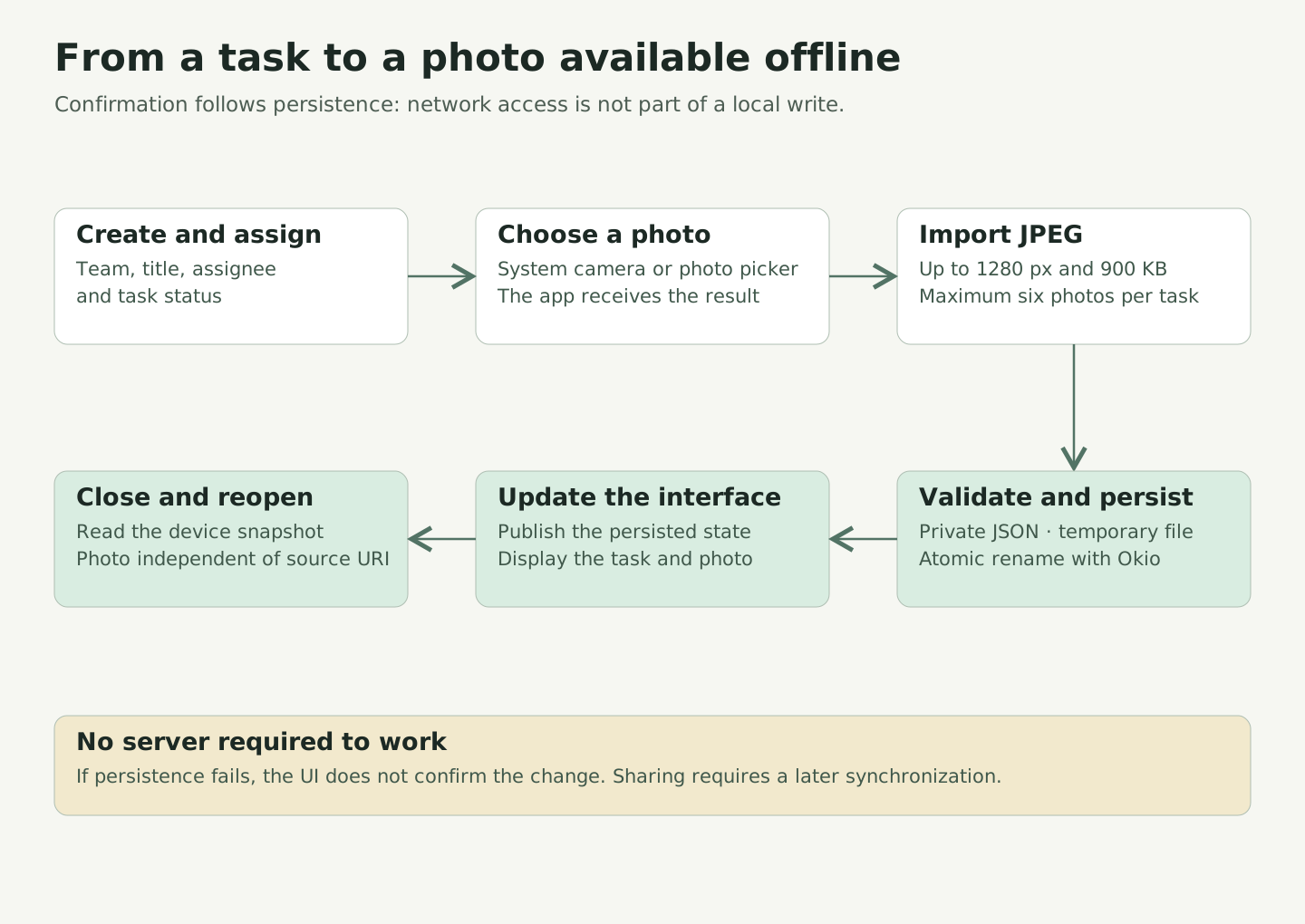
Tasks and photos independent of temporary source links
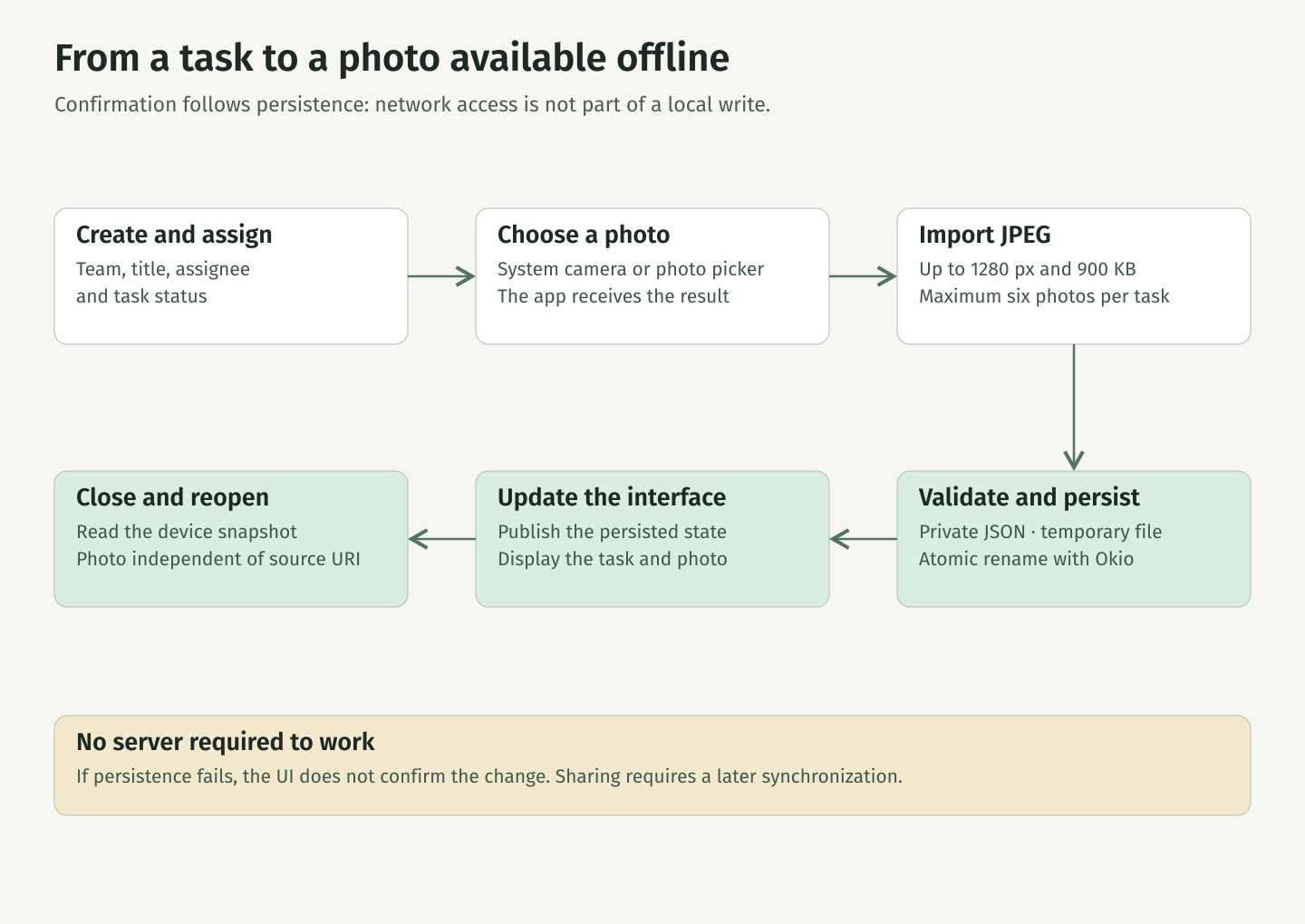
- Create or edit a task and its assignee.
- Open the system camera or picker and import a JPEG up to 1280 px and 900 KB.
- Validate the new workspace, write a temporary file and rename it atomically.
- Update the UI and read that state on reopening, including photos, with no server required.
From a task to a photo available offline
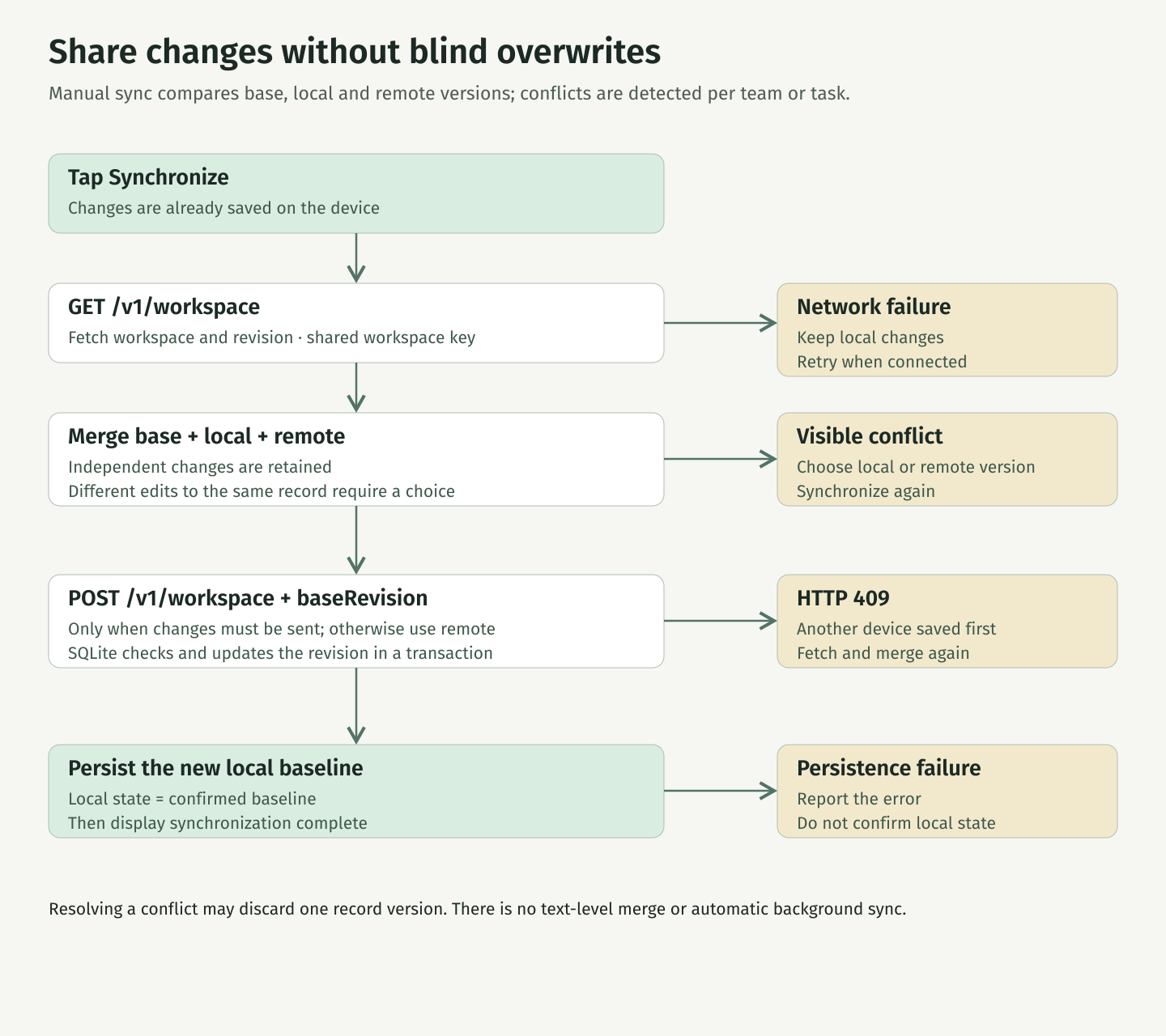
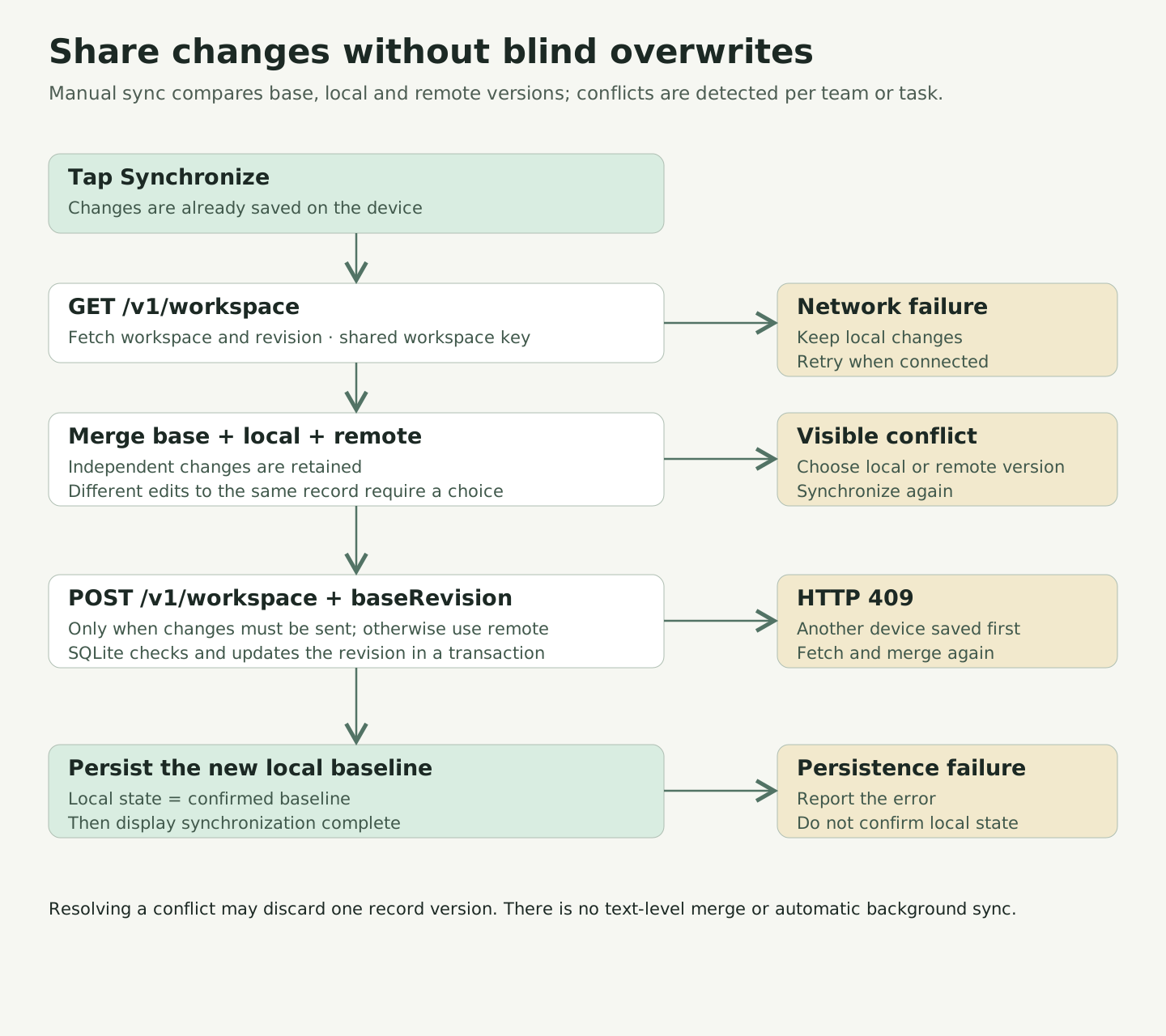
Synchronization with revisions and visible conflicts
- Tap Synchronize and fetch the remote workspace and revision.
- Compare base, local and remote versions per team or task. Independent changes are merged.
- If a record has incompatible changes, show both versions and ask which to keep. That choice may discard the other version.
- Send only when there are changes to share. SQLite checks the revision in a transaction; HTTP 409 requires fetching and merging again.
- After remote confirmation, persist the new local baseline. If the network fails, retain local work for another attempt.
Share changes without blind overwrites
A complete workflow, online and offline.
- Organize teams and assign each task to a person.
- Add photographs from the camera or gallery and save them with the task.
- Change task status and keep working offline.
- Close and reopen the application with tasks and photographs preserved.
- Reconnect and synchronize changes with the other devices.
Local persistence and synchronization are independent operations. The team shares a server address and workspace key; each person chooses when to send and receive changes from Settings.